Barcode, OCR, or Just Type It — Which Tagging Method Actually Wins on the Dock

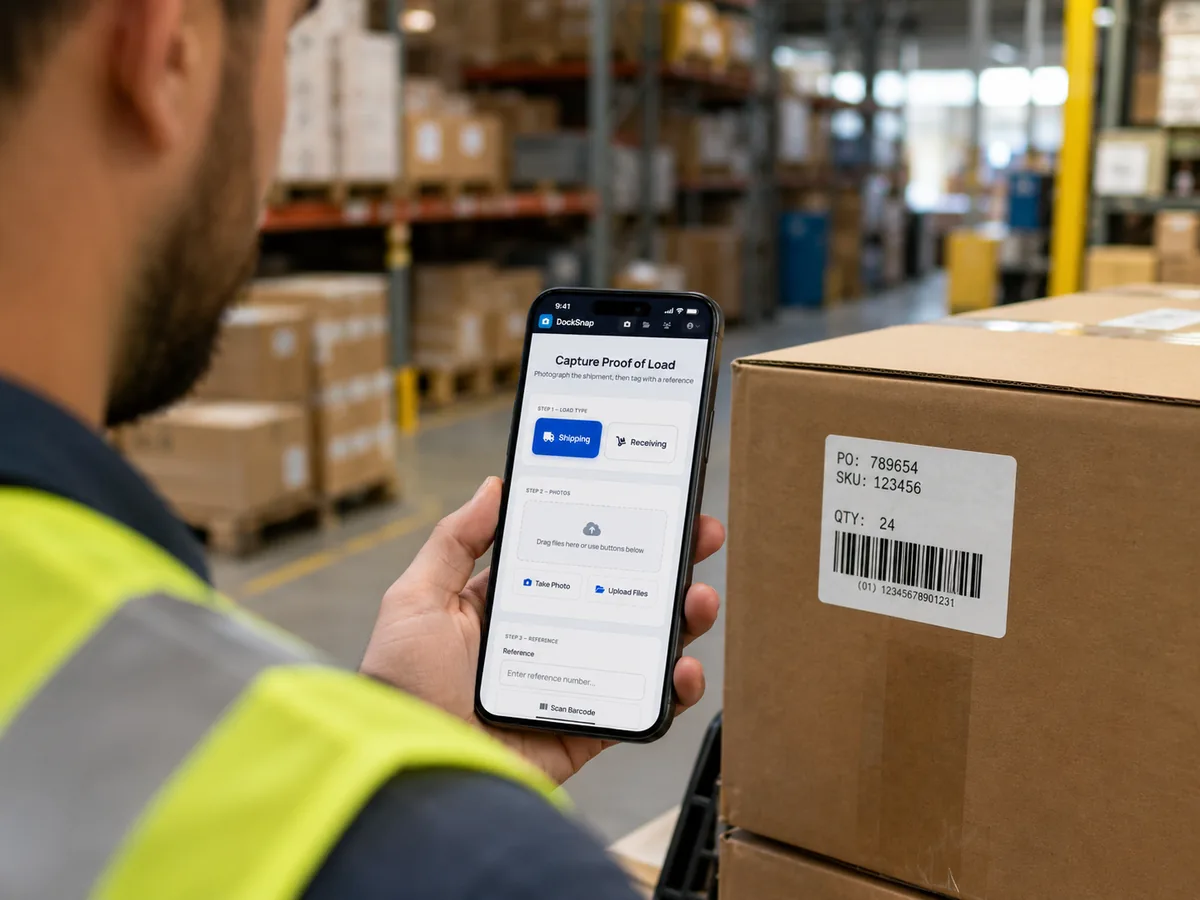
Every photo in DockSnap has to be tagged to something. A reference number. A customer. A shipment. Without that connection, photos are just camera-roll noise.
We give you three ways to do the tagging:
- Type the reference manually.
- Scan a barcode (Code 128, Code 39, QR, UPC, or EAN).
- Let OCR read the label — the camera reads the printed text directly.
Customers regularly ask which one is "best." The honest answer is: it depends on the shipment, the volume, and what's already printed on the label. Here's how to think about it.
Manual entry: the underrated option
Typing is the dumbest, simplest, most reliable input method in the warehouse — and we mean that as a compliment.
When manual wins:
- Low-volume operations handling 10–30 shipments a day.
- References that are short (5–8 characters).
- Labels that are damaged, partially obscured, or in inconsistent formats.
- New operators who don't trust the scanner yet.
The thing manual entry never does is fail silently. The wrong barcode can scan cleanly and tag a photo to the wrong shipment without anyone noticing. A typo, by contrast, almost always gets caught — usually because the reference doesn't match anything in the system.
When manual loses:
- High volume. 80 shipments a day with manual entry burns 30 seconds per tag — that's 40 minutes a day of pure typing.
- Long references. Once you're past about 10 characters, error rate climbs fast.
Barcode scanning: the workhorse
Barcode is the right default for most operations. It's fast, accurate, and matches what's already on most pallet labels and BOLs.
When barcode wins:
- Standardised inbound from the same suppliers, with predictable label formats.
- Outbound where the WMS or your label printer produces a barcode on the BOL.
- Volume above ~30 shipments a day, where keystrokes start to add up.
- Multiple operators — barcode scans land identically regardless of who pulls the trigger.
The codes DockSnap reads: Code 128 (most common LTL/parcel labels), Code 39 (older WMS systems), QR Code (modern logistics labels), UPC and EAN (retail product codes). If your label has any of those, you're set.
OCR: the surprise winner
OCR is the one that surprises most operators when they see it work.
The use case: a label arrives that doesn't have a barcode — or the barcode is damaged, smudged, or in a format your scanner doesn't have on hand. The label still has a printed reference number on it, in normal text. You aim the phone, DockSnap reads the text, and the shipment is tagged.
When OCR wins:
- Mixed inbound from suppliers who don't all use the same label standard.
- Damaged or torn barcodes — the printed reference is usually still readable.
- Customer-supplied freight where the BOL has a reference printed in plain text.
- Receiving in environments where labels are inconsistent across shipments.
Where OCR is weaker:
- Hand-written references. OCR is trained on printed text, not handwriting.
- Heavily distressed labels (water damage, faded thermal print on old freight).
- Reference numbers that are visually similar to other text on the label, with no clear positional cue. Sometimes you have to manually pick which line is the reference.
A practical pattern that works
Most teams settle into a rhythm that uses all three:
- Default to barcode for normal inbound and outbound.
- Drop to OCR when the barcode is missing or damaged.
- Drop to manual when both fail or when the operator already knows the reference cold.
You don't have to standardise on one method per shift. The same operator on the same dock will use all three in a single afternoon. That's by design — DockSnap doesn't punish you for switching.
Where to start
If you're new to DockSnap, start with barcode. It's the path of least surprise. Once your team has a few weeks of muscle memory, OCR usually starts getting more usage on its own as people discover edge cases.
See the full feature breakdown or run the Dock Documentation Scorecard to see how your current tagging process scores.