Why Your Team's Phones Are Already the Right Hardware

There's a quiet assumption in warehouse software: serious operations need rugged hardware.
Drop-tested scanners. Battery hot-swaps. Heavy specs and heavier price tags. Vendors love selling them. IT departments love specifying them. And nobody on the floor ever asked for them.
We took the opposite position when we built DockSnap. Your team's existing phones — and the rugged scanners you already own — are the right hardware. Here's why.
The phone is already on the dock
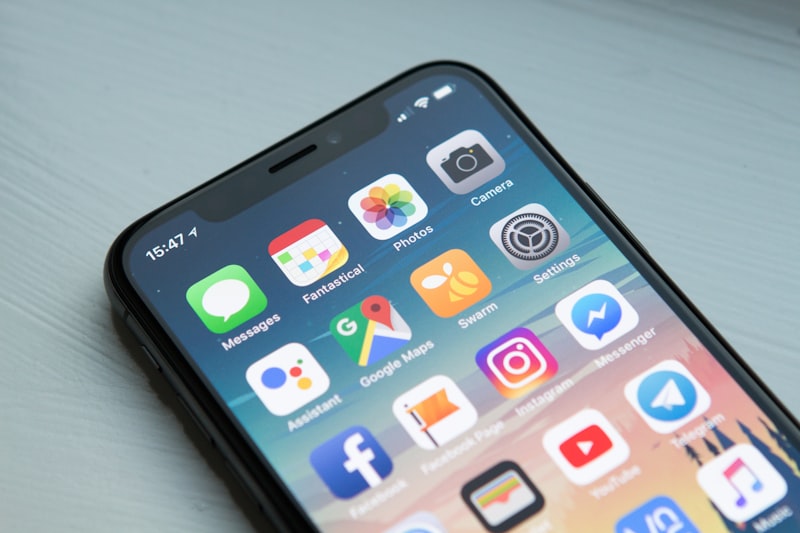
A receiving clerk or loader carries a smartphone for a dozen reasons that have nothing to do with work software: clock-ins, group texts with the supervisor, the ELD app, the dispatcher's calls, the camera app for damage photos.
The camera app is the giveaway. The team is already taking photos of damaged pallets, missing labels, weird load conditions, signed BOLs taped to crates. They're just sending them via SMS and email, where they evaporate within days. (We covered the cost of that workflow in Stop Emailing Warehouse Photos.)
We don't need to put a new device in their hand. We need to give them a better destination for what they're already capturing.
What "rugged" actually buys you
Real talk on rugged scanner hardware (Zebra TC-series, Honeywell CT-series, etc.): they're great for environments where someone is going to drop the device on concrete twice a shift, or when scan volumes per shift run into the thousands and you need a dedicated trigger button.
For dock photo documentation, neither of those is the typical case. A loader or receiver photographs each shipment a handful of times per cycle, in environments where the device is mostly in a holster or on a clipboard. A consumer-grade phone with a rugged case ($30–60) does the job — and the camera is usually better.
DockSnap runs on all three, so you don't have to commit:
- Android phones — the most common deployment, since BYOD is already in place.
- iPhones — fine, especially for office staff or supervisors.
- Rugged Android scanners — for ops where you already own them or have a real reason to standardise.
What changes when you don't have to buy hardware
The hardware-free path collapses an entire category of project risk:
- No procurement cycle. A 50-device hardware order can take three to six weeks even with priority shipping. DockSnap is live the day you sign up.
- No capex approval. Software with a $500 base and $10/user/month doesn't need a board memo. (See pricing.)
- No deployment logistics. No staging, imaging, or shipping of devices to multiple sites. Each operator installs the app themselves.
- No fleet management. Lost a phone? The user gets a new one and logs back in. The photos are in the central library, not the device.
- No sunk cost. When the team grows, you add a user. When it shrinks, you remove one. Hardware doesn't sit on a shelf.
"But what about scanner accuracy?"
Modern phone cameras read Code 128, Code 39, QR, UPC, and EAN reliably under normal warehouse lighting. Our barcode engine performs comparably to dedicated scanners for the use case that matters here — reading a label on a pallet from arm's length.
For OCR-driven tagging — where the app reads the printed reference text on a label — a phone camera is better than most rugged scanners, because the camera resolution is higher.
If you have a use case that genuinely needs a hardware trigger and a laser line — high-velocity outbound staging, for example — keep the rugged scanners. DockSnap runs on them too. But don't buy them just to take photos.
Where this lands
The DockSnap philosophy on hardware is the same as the philosophy on workflow: meet the team where they already are.
The photos already exist. The phones already exist. The tagging behaviour — typing a reference, scanning a barcode, reading a label — already exists. We just connect the wires.
If you'd like to see what that looks like on a real dock, start a free setup or take the 2-minute Dock Documentation Scorecard to see where your operation lands today.