How a Warehouse Goes Live on DockSnap in Under an Hour

Most software in our industry has trained warehouse teams to expect pain.
Implementation calls. Project plans. Hardware orders. Training videos. A six-week rollout for something the warehouse genuinely needed six months ago.
DockSnap doesn't work like that — and the reason is honestly pretty simple. Your team already takes photos. We're just routing them somewhere useful.
Here's what going live actually looks like.
The 60-minute path
We've gotten this down to a repeatable hour-long process. Most customers go through it in less.
Minutes 1–10: configure your company
We set up your DockSnap workspace, your default workflow (Ship, Receive, or both), and your initial users. If your warehouse only ships, we default the app to Ship so your team taps once instead of twice. Same for receive-only operations.
Minutes 10–25: install on your devices
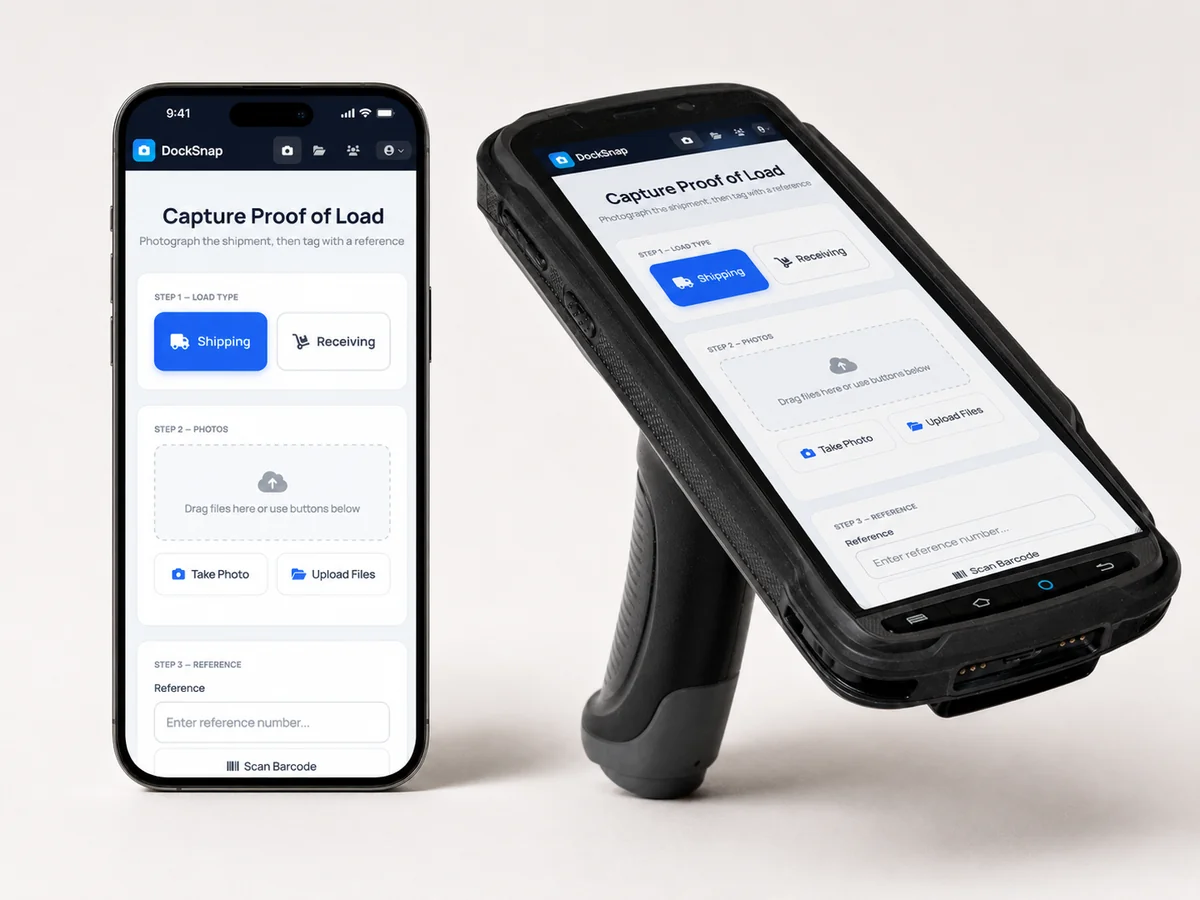
Your team installs DockSnap on whatever they're already carrying — Android phones, iPhones, or rugged Android scanners. There's no special hardware to order. No firmware to flash. No IT ticket queue.
Minutes 25–40: first test shipment
Pick a real shipment. Take photos. Tag it. Upload. The team watches it land in the central library — searchable by reference, organised by date. This is the moment most operators stop believing it's going to be hard.
Minutes 40–60: hand it off
We answer questions. Your team starts running real shipments through it. By the end of the hour, you've documented one or two genuine loads — not training data — and the muscle memory has started.
What's not in the hour
This is the part that confuses people coming from heavier software:
- No training session. The interface is built around "take a photo." Your team already does that 30 times a day.
- No hardware order. Nobody is shipping you a scanner gun or a tablet kit.
- No data migration. You start fresh from your first shipment forward. Old photos in old places stay where they are.
- No WMS project. WMS integration is optional and asynchronous. Many teams never bother — the central library is enough on its own. (See: Standalone or WMS-Integrated.)
Why this matters more than it sounds
Setup time isn't just an inconvenience metric. It's a proxy for whether the software is going to fit your operation at all.
If a "documentation tool" needs six weeks to deploy, it's almost certainly going to need six weeks of attention every quarter to keep running. That's a tax on the operation forever.
DockSnap stays out of the way because the underlying job — take a photo, tag it, find it later — is small and stable. We don't need to redesign your warehouse to plug in. We just need a few minutes of yours.
When teams stall
The honest exceptions:
- Locked-down corporate phones. If your IT team blocks app installs by default, getting DockSnap pushed through MDM can take a day or two. We'll work with whoever owns the device policy.
- Rugged scanners on older Android. Some warehouse scanner hardware still ships on Android 7 or 8. DockSnap runs on these, but if it's a fleet you're rolling out across, plan for a separate compatibility check.
- Lots of users at once. If you're rolling out to a 50-person team in one go, allow a couple of hours for first-time logins and account setup. The software is fine — humans just take longer in groups.
Ready?
If you've been putting off "the documentation project" because it sounds like a six-month commitment, start with us instead. Worst case, you're an hour in, you've documented today's shipments, and you can decide whether the central library is worth keeping.
That's a much cheaper way to find out.